 English
If you have been searching china p2.5 led video wall manufacturers and ended up with forty-seven tabs open, three nearly identical quotations and a salesperson who keeps saying "best quality, best price," you are not doing anything wrong. The market is just built that way. P2.5 is the workhorse pitch for indoor rental, stages, churches, trade shows and retail backdrops, so everyone from a genuine Shenzhen assembly plant to a one-person trading desk lists themselves as a manufacturer. The hardware is largely commoditised now. What you actually buy is whether someone picks up the phone when a cabinet goes dark two days before load-in.
The short answer: buy direct from a China factory if you know your specs, can wait 4–6 weeks and have someone on your end who can commission the screen. Buy through a trader or a local distributor if you need hand-holding, faster answers in your time zone and someone to own the install. Most repeat buyers do a mix — factory for the hardware, local crew for the rigging. And the price that matters is not the per-square-metre number on page one of the quote; it is the all-in number after controller, flight cases, shipping, duty and spares.
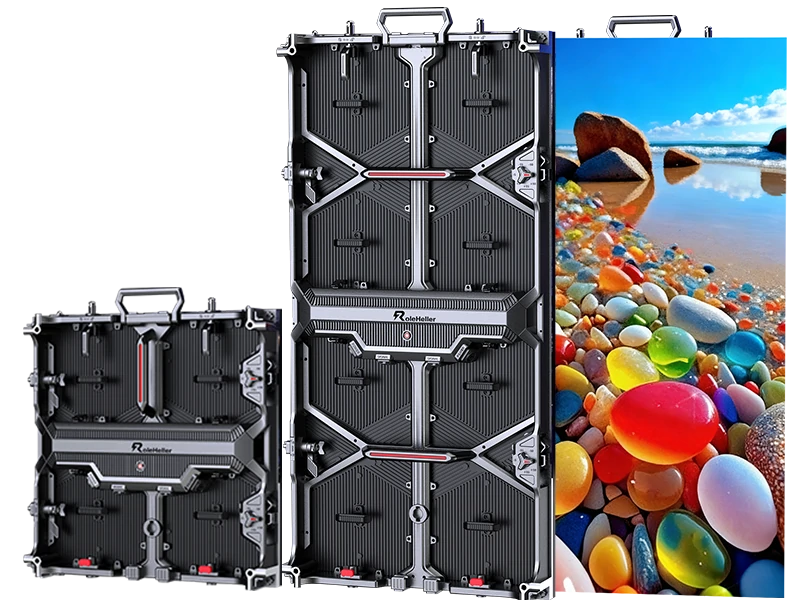
P2.5 means 2.5 mm between pixel centres, roughly 160,000 pixels per square metre. It sits in that useful middle ground where the picture reads as solid from three metres back but the cost has not climbed into fine-pitch territory. Standard cabinet sizes are 640×640 mm or 500×1000 mm (the latter being the rental standard), which means you can build clean 16:9 walls without leftover strips.
Numbers worth keeping in your pocket:
A 5 m × 2.8 m wall gets you close to 1920×1080 native. Bigger than that and you are into 2K territory, which is where P2.5 really starts to look like money well spent.
Comfortable viewing starts around 2.5–3 metres. Closer than about 1.5 m and you will see the pixel grid, especially on small text.
Indoor brightness of 800–1,200 nits is plenty. Pushing a P2.5 wall to 2,000 nits indoors makes faces look washed out on camera and ages the lamps faster for no gain.
Ask for average power draw, not peak. Peak figures almost never happen with normal content, and venues size their breakers off whatever number you hand them.
The mistake I see most often: someone orders P2.5 because it was the mid option on the quote, then puts it in a room where the audience stands eight metres away. At that distance P3.9 or P4 would have looked just as good and cost noticeably less. Pitch should follow viewing distance, not the other way round.
This is where people get anchored on the wrong price. Type the keyword and you will see all four types claiming the same thing.
| Who they are | What they actually do | Price level | When they make sense |
|---|---|---|---|
| Own-assembly factory | SMT line, aging room, cabinet tooling, can swap LED package and driver IC | Lowest | You know your spec, order repeats, you have time |
| Trading company / export agent | Sources from a factory, handles paperwork, English communication | Medium-high | First-time buyer, tight timeline, need someone to chase |
| Brand with overseas warehouse | Rebrands OEM hardware, adds calibration reports, software, local spares | Highest | Downtime costs more than the premium |
| Hybrid — factory plus regional sales office | Plant in Guangdong/Fujian, desk in your market | Medium | Often the sweet spot for event companies |
A test that costs nothing: ask for a live video call and have them walk to the production floor with today's date written on a piece of paper next to the machine. Then ask for the cabinet mould number and search it. If the same cabinet design shows up under half a dozen brand names, you are looking at a shared OEM platform. That is normal, by the way — most of the industry runs this way — but it does mean price and support are your real differentiators, so negotiate on those instead of pretending you found something unique.
Also worth saying plainly: plenty of genuine factories assemble cabinets in-house while importing LED lamp packages and driver ICs from the same global suppliers everyone uses. Nothing shady about that. What is not acceptable is charging extra for "fully in-house" hardware without being able to show which parts are actually made on site. Ask for a bill of materials by line item. If the brand names come back blanked out, you already have your answer.
Quotations look identical until you put them side by side. This is the list I compare, row by row.
| Spec | What to ask for | Why it matters |
|---|---|---|
| LED package | Nationstar / Kinglight gold wire, black face SMD | Gold wire handles heat better; black face lifts contrast under stage lights |
| Driver IC | MBI5153, ICN2053 or equivalent with good grey scale | Weak ICs cause ghosting and smear on camera |
| Refresh rate | ≥3,840 Hz if anyone films the screen | Lower rates throw scan lines into video feeds |
| Brightness | 800–1,200 nits indoor, software adjustable | Over-bright walls look harsh and age unevenly |
| Cabinet | Die-cast aluminium or magnesium, tight flatness tolerance | Warped cabinets show seams after a year |
| Service direction | Front-service if there is no rear access | Rental and many lobby installs have zero rear clearance |
| Power supply | Branded PSU, correct voltage for your country, surge protection | Wrong voltage config at the factory is a surprisingly common shipping error |
| Warranty | 2–3 years written, exclusions listed | Modules and PSU covered; labour and freight often are not |
| Spares | 3–5% spare modules plus spare PSUs, receiving cards, cables | One mismatched module makes a whole wall look patchy |
| Calibration | Module-level or point-by-point calibration report | This is the difference between premium-looking and cheap-looking |
Two things people consistently forget, and both cost money later. Resolution follows size — decide the resolution you need and let the physical size fall out of that. And heat: a big indoor wall in a small plant room with no return air will start throwing errors in summer, then everybody blames the LEDs.
Ballpark levels for P2.5 indoor, FOB China, screen body only. Installation, structure, controller, flight cases, shipping and duties sit on top. These move with LED package pricing and exchange rates, so treat them as a negotiating anchor rather than a promise.
Budget tier: around US$350–600 per sqm. Generic lamps, basic cabinet, minimal QC. Fine for a back-of-house display or a screen nobody stands close to.
Mid tier: roughly US$600–1,100 per sqm. Decent LEDs, good driver IC, proper flatness, 3-year warranty, calibration included. This is where most sensible buyers land.
Premium / branded: US$1,100–2,000+ per sqm. You are paying for calibration reports, engineering support, stocked spares and a named person who answers the phone.
For rental-type 500×1000 mm cabinets aimed at touring, expect the higher end of the mid tier because the cabinet needs to survive being stacked, toured and dropped off a truck.
Then add the layers that always get left off the first quotation: sending card and processor, flight cases or wooden crates, structure or truss, rigging labour, cabling and distribution, content creation, shipping, duty and installation. A working rule of thumb I keep using is that all-in cost lands somewhere between 1.4× and 2× the bare screen price. If a quotation looks suspiciously complete at exactly the screen price, ask point blank what is excluded.
Payment terms: 30–50% deposit with balance before shipment or against the bill of lading copy is standard. Anyone asking for 100% upfront before you have seen a single reference install goes to the bottom of the list. And insist the full spec gets written into the proforma — LED brand, IC model, brightness, refresh rate, cabinet dimensions, warranty scope, spare parts list, delivery date and a late-delivery clause. People sign a document that says "P2.5 LED video wall 20 sqm" and nothing else, then wonder why they got exactly what that sentence says.
Check the entity. Ask for business registration and match the registered name against the bank account name and the name on the quotation. They should be the same. If the money is going to a different entity, pause.
Get the cabinet model number and LED batch details, then cross-check online. Shared platforms are normal; unexplained premiums are not.
Ask for dated aging-test photos — a wall running 48–72 hours continuously, with today's date visible. A live video walk-through is better. If the camera suddenly cannot connect, file that away.
Ask for two reference installs from the last 18 months, ideally similar to your use case, and actually visit or call them. A showroom demo tells you almost nothing; a two-year-old installation tells you everything.
Confirm who installs — their own crew or subcontractors. Subcontractors are fine as long as one named person owns the outcome.
Lock the spec into the purchase order. Every row from the table above. Delivery date. Late-delivery clause.
Agree dead-pixel and uniformity acceptance criteria before shipment. Industry norms allow a small number of defects per square metre. If you need near-zero, say so upfront and expect to pay for it.
Confirm voltage and plug configuration at order time. Wrong voltage is a common and entirely avoidable mistake.
Plan site readiness early: power phases and load, whether crates fit in the service lift, lift dimensions, working-hour restrictions.
Get the handover folder at commissioning: calibration files, processor configuration backup, wiring diagrams and firmware versions. When something breaks at midnight, you want that folder, not a promise.
Honestly, step six is the one everyone skips. Step ten is the one nobody remembers until it is too late.
Production on a standard P2.5 order typically runs 15–25 working days after deposit and drawing approval, longer if the LED package needs to be ordered in or if you are asking for custom sizes. Sea freight to Europe or the US West Coast is roughly 3–5 weeks, air freight a few days but much pricier. Add customs clearance, local delivery and installation. Realistically, plan eight to fourteen weeks from signed purchase order to go-live.
If someone promises you a full wall in ten days, they are either pulling stock off a shelf somewhere or telling you what you want to hear. Rushing is how you end up with colour mismatch between cabinet batches, because the LEDs came from different bins. Colour consistency across batches is the hardest thing to fix after the fact, and it cannot be calibrated away completely.
Packaging matters more than people admit with rental cabinets. Insist on proper flight cases or reinforced wooden crates with foam, and photograph the unpacking. File a claim the same day you find damage, not two weeks later.
Do I need a China factory or should I buy locally?
If the screen lives in your country and you need someone on site within hours, a local integrator usually wins on service speed and warranty honouring. If you are buying multiple walls, running an events company or comfortable managing specs yourself, going direct to China saves real money. The hardware is largely the same pool of components either way.
Is P2.5 good enough for churches and live events?
Yes, this is basically P2.5's home turf. Specify 3,840 Hz or higher refresh if you stream services, and make sure the processor can handle your camera chain. For very close IMAG screens where the camera is five metres away, consider P2 or finer.
Rental cabinets or fixed install?
Rental cabinets are heavier and cost more per square metre, but they survive being moved, stacked and toured, and they usually offer front-and-rear service. Fixed cabinets are lighter, thinner and cheaper. Permanent wall — fixed. Touring inventory — rental type, no question. Mixing the two up is an expensive mistake.
Can my own crew handle the install?
Structurally and electrically, yes, if they have done LED walls before. Calibration and colour matching across cabinets is not something you pick up from a tutorial. At minimum, have the supplier's engineer handle commissioning, even if you pay a day rate. The difference shows up on day one.
What actually kills these walls?
Three things, mostly. Power supplies fail first — cheapest component, works the hardest. Impact damage during handling or when ladders are moved nearby. And dust: it works into cabinets and onto optics and slowly murders contrast. Plan periodic professional cleaning, and never spray cleaner directly on the screen. Never.
How do I keep colour consistent over the years?
Buy the spare kit upfront, same LED batch if possible, and store it properly. Run a brightness schedule so the screen is not pinned at full white all day, because that causes uneven aging. Keep the calibration files. And when you expand the wall later, understand that new modules will not perfectly match older ones; plan for a recalibration of the whole wall, not just the new section.
I keep a short list. Two or more of these and I walk.
No cabinet model number, no LED package brand named.
Brightness described as "high brightness" with no nit figure.
Warranty says "3 years" but refuses to specify whether labour or freight is included.
Cannot provide a reference project with a real address and a contactable client.
Price well below everyone else with no explanation of what is different.
Payment terms demanding 100% upfront.
No aging test photos, no calibration data, no test report.
Vague about who performs the installation and who handles warranty call-outs.
Claims "zero dead pixels guaranteed" at a budget price with no explanation of how.
Cannot confirm voltage configuration or refresh rate in writing.
If I were spending my own money on a P2.5 wall from China today, I would pick a mid-tier factory that can prove it has a real production line and can show me a calibration report with actual numbers, and I would spend the difference on better LEDs, a proper spare kit held on site, and decent content. I would not chase the absolute cheapest quote, and I would not automatically pay top dollar for a big international brand unless local support and stocked spares mattered more than the price gap — which for a main-stage screen or a flagship store front, sometimes they do.
The hardware itself is pretty commoditised now. What you are really buying is the person who answers the phone at 6 p.m. on a Friday when a patch of the wall goes dark the day before load-in. Everything else is negotiable.
I would also rather buy a smaller wall done properly than a massive one done cheaply. A clean, well-calibrated screen beats a patchy one every time, and audiences remember whether it looked sharp, not the exact dimensions. Budget properly for content too — a great wall playing a stretched 720p loop looks worse than a modest wall playing a properly mastered file at native resolution. Set a brightness schedule, enable auto-dimming, use dark backgrounds where possible, and train whoever closes the building to switch it off properly at night. Small habits, big difference over three years.
Have you been burned by a supplier who went quiet after payment, or found one that actually delivered? Drop your experience below — the specific details help other buyers more than any brochure does.
1. What does P2.5 mean in LED video walls?
P2.5 means a 2.5 mm pixel pitch, giving roughly 160,000 pixels per square metre. It is an indoor pitch suited to stages, churches, retail, events and control rooms where viewers stand 2.5 metres or more away.
2. How much does a P2.5 LED video wall from China cost?
Bare screen typically US$350–2,000 per square metre depending on tier, with most buyers landing in the US$600–1,100 range. All-in installed cost often runs 1.4× to 2× the bare screen price once controller, structure, shipping and installation are added.
3. How do I verify a China LED wall manufacturer is real?
Ask for a live video tour of the production floor with a dated note visible, request the cabinet mould number and cross-check it online, ask for recent aging-test photos, and speak to a recent reference client. Also request a bill of materials by line item.
4. What is the typical lead time?
Production takes roughly 15–25 working days after deposit and drawing approval. With shipping, customs and installation, plan eight to fourteen weeks total from signed order to go-live.
5. What warranty terms should I insist on?
At least 2–3 years covering modules and power supplies, with a written list of exclusions and clarity on who pays labour and freight. Also secure 3–5% spare modules plus spare power supplies, receiving cards and cables on site.
6. Does P2.5 work for filming and live streaming?
Yes, if you specify 3,840 Hz or higher refresh, a quality driver IC and good low-grey performance. Lower refresh rates produce visible scan lines on camera.
7. Can a P2.5 wall display Full HD?
Yes — at roughly 5 m × 2.8 m you get close to native 1920×1080. Smaller walls scale the signal, which is acceptable but not native resolution. Always calculate resolution before fixing the physical size.
8. Should I buy from a factory or a trading company?
Factories offer lower prices and better customisation but slower communication and less hand-holding. Traders charge more but move faster and absorb coordination work. Repeat buyers and event companies tend to prefer factories; first-time buyers often prefer traders.
9. What should I check about power and electrical setup?
Confirm voltage configuration at order (110 V vs 220 V), verify the venue's available capacity against average rather than peak consumption, and plan for proper distribution and cooling behind the wall.
10. What maintenance does a P2.5 wall need?
Keep the environment cool and dust-free, never spray liquid directly on the screen, run a brightness schedule to prevent uneven aging, test spare modules quarterly, keep firmware and calibration files backed up, and arrange periodic professional cleaning.
.jpg "LED backlit display manufacturers: how do you pick the right one?")


.jpg "Where do you find reliable LED display module manufacturers?")
.jpg "Which 8K LED Display Manufacturers Can You Trust?")